1. update the kernel program for NVR2508E1-P8E
1) power off the NVR
2) copy "u-boot-SN-NVR12.bin" and "uimage-SN-NVR12" to root directory of USB disk
3) Insert the U disk into the NVR
4) power on the NVR
the update program will work automatically.
note: Don't power off during the update process, or the NVR will be crashed unexpectedly!
2. update the firmware for NVR2508E1-P8E
1) go to option "Maintennance", select the file "v4.2.0814.0000.001.0.58.0.0_20181101" from the icon"

2) then the update program will be finished automatically
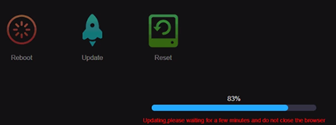
note: Don't power off during the update process, or the NVR will be crashed unexpectedly!!!!!!
3. update the firmware for IPC
A. if the version's name starts with "v3.5.0812", please see A:
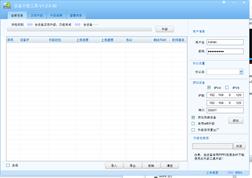
1)use update tool to update version with file "v3.5.0812.1004.1.0.30.0.1_20180926"
B. if the version's name starts with "v3.5.0804", please see B:
1) use update tool to update version with file "v3.5.0804.1004.1.1.30.3.1_20181101"