Firmware Version: V4.2.XXXX.0000.XXX.X.XX.X.X
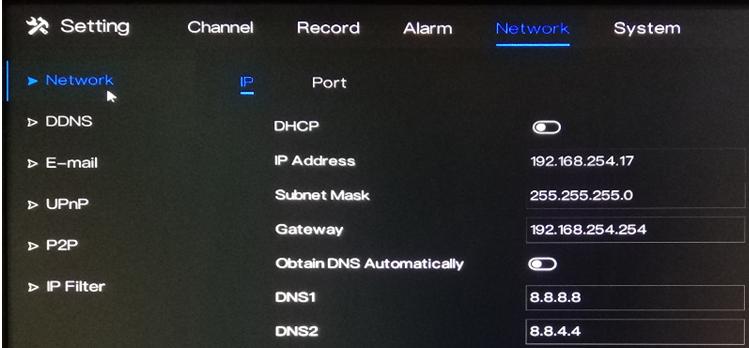
1. Ensure that the device is connected to the network properly.
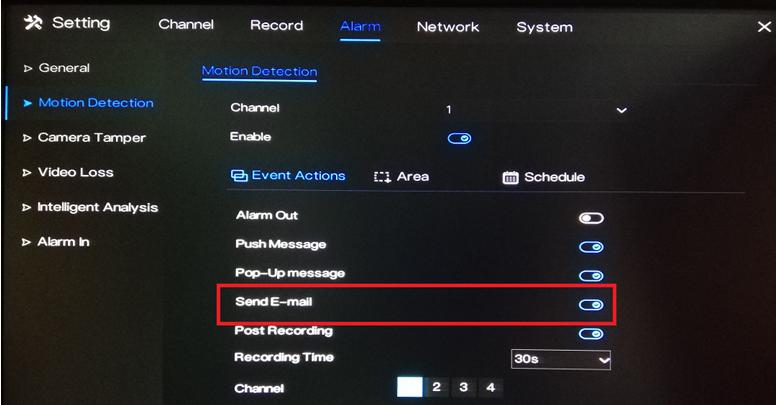
2. Make sure that the alarm settings are properly set up and Send E-mail option is enabled. Alarm e-mail notification can be enabled for Motion detection, video loss or camera tamper.
Motion Detection – Setting > Alarm > Motion Detection > Event Actions > Send E-email
Camera Tamper – Setting > Alarm > Camera Tamper > Event Actions > Send E-email
Video Loss – Setting > Alarm > Video Loss > Event Actions > Send E-email
Intelligent Analysis – Setting > Alarm > Intelligent Analysis > Event Actions > Send E-email
3. Go to Setting > Network > E-mail.
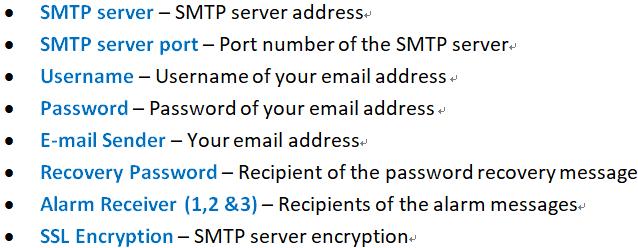
4. Input the correct SMTP setting of your account.
5. Click Test to test if the information you input are correct.

6. Check your e-mail account to see if you received the test message. If test e-mail was received successfully, click Apply to save the settings.