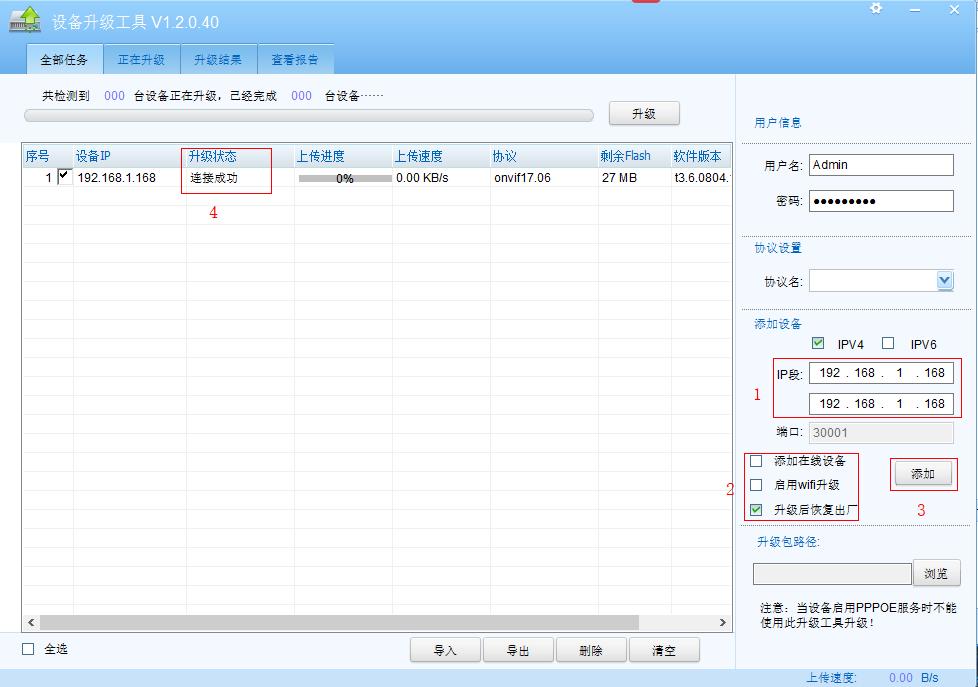
Please open the update tool first (you can get it from our sales or tech support)
1. enter the "IP" (for one device) or "IP segment"(more than one device)
2. select "reset after update"
3. click "add"
4. the update tool will connect to device automatically, and show "connect success" then.
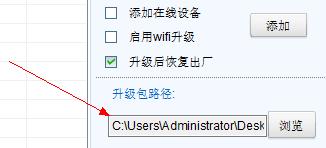
5. select the right update file here
6. click "update" directly

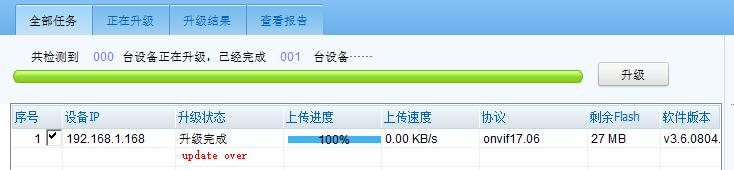
7. it will takes several minutes to finish the update, please keep the power on all the time. at last, you can see the information like this